
Product images for Thai
Localize packaging, product features, comparison charts and marketplace visuals for Thai-speaking shoppers.
Localize product images, ads, menus and digital content for Thai-speaking audiences across Southeast Asian markets. Upload an image, review the result, and keep your visual workflow moving.
Visual proof
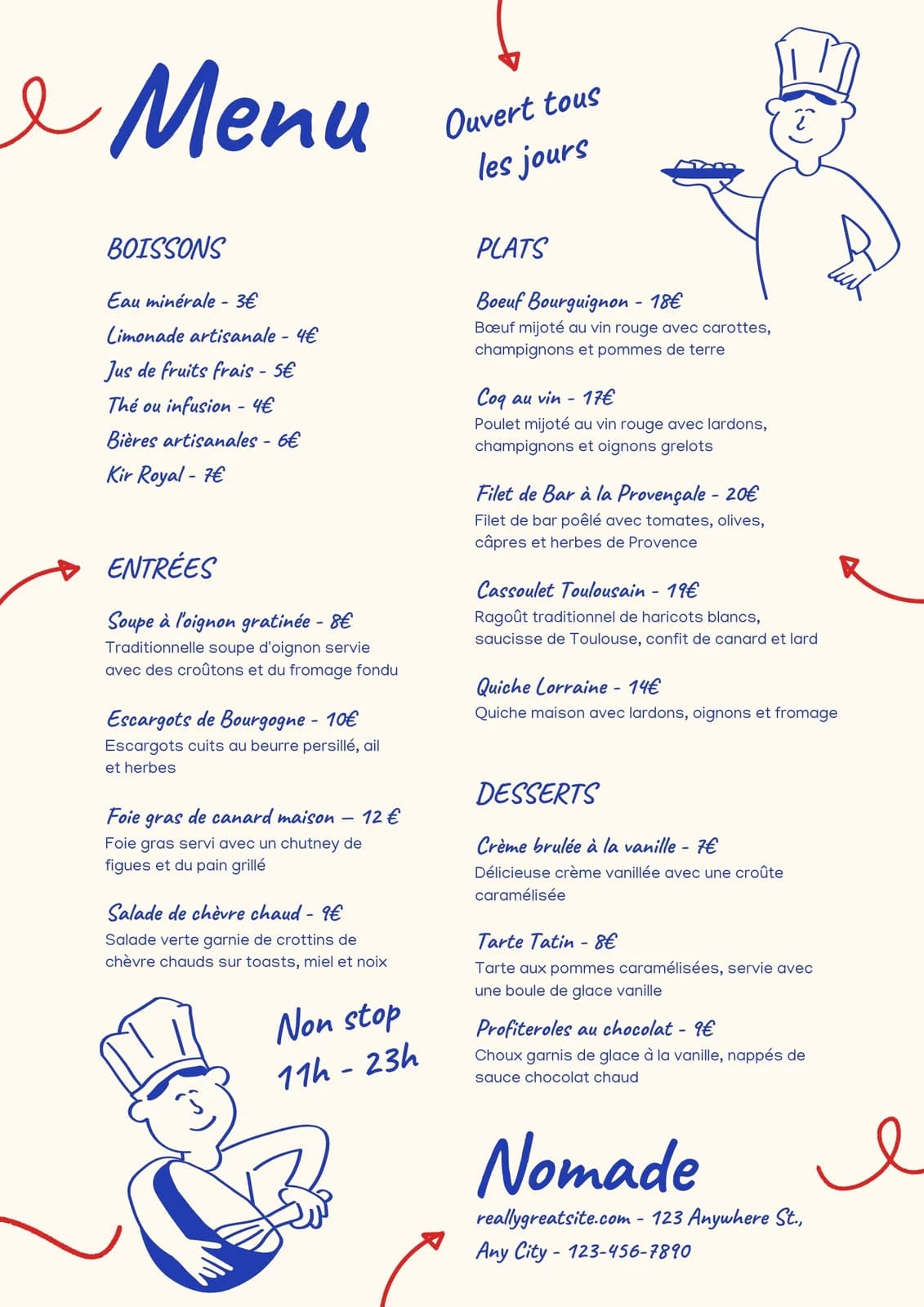 Source
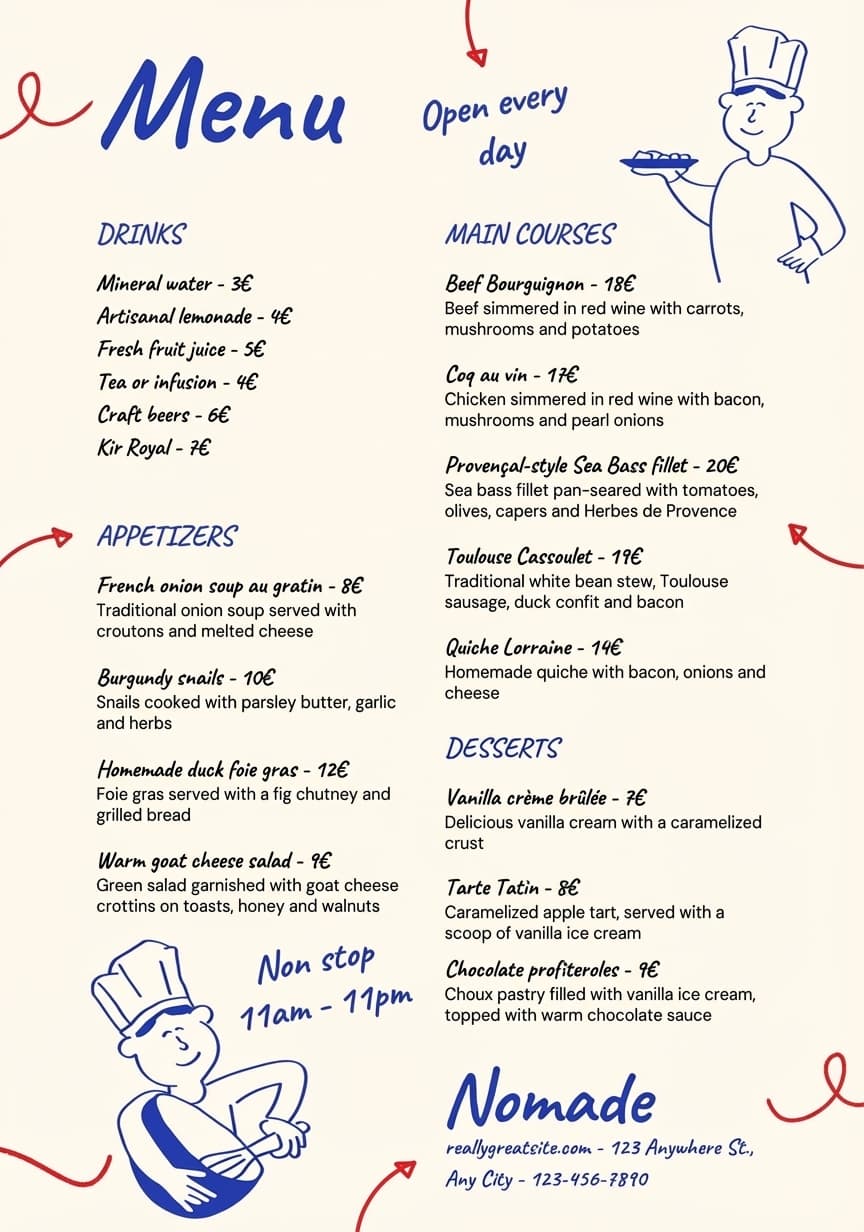 English result
 Spanish result
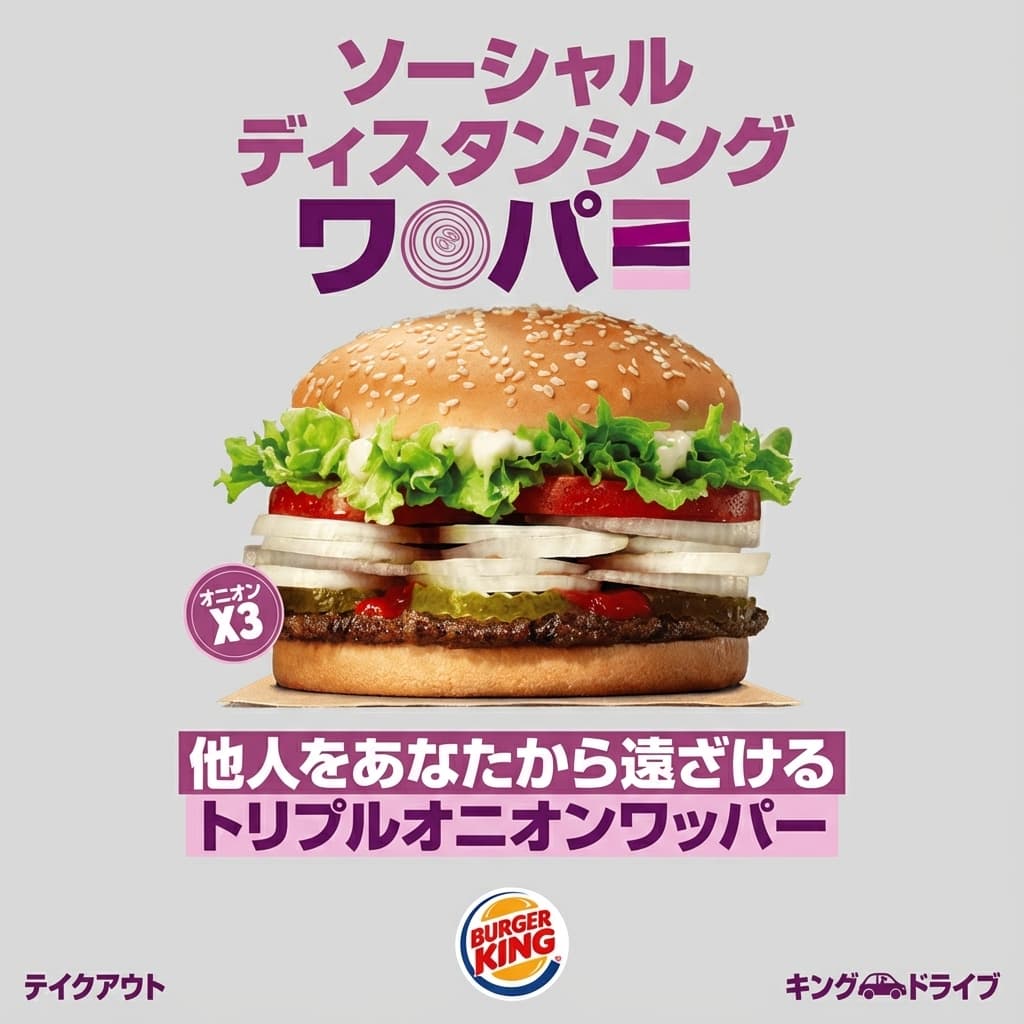 Japanese result
Translate
Upload one image, choose the source language or auto-detect, then review the generated image before sharing or publishing it.
Use cases
Turn the visual content your audience already sees into a clearer localized experience for Southeast Asian markets.
Localize packaging, product features, comparison charts and marketplace visuals for Thai-speaking shoppers.
Translate menus, signs, brochures and destination visuals for Thai-speaking travelers and hospitality teams.
Adapt banners, paid social creatives and promotional graphics for Thai-speaking audiences while keeping the campaign layout intact.
How to use
The workflow keeps the important visual steps together so you can move from source image to reviewed result quickly.
Choose a JPG, PNG, WebP or other supported image up to 10 MB.
Keep auto-detect for the source language, then use Thai as the target.
Check wording, layout and visual details before downloading or publishing.
Why choose us
A practical image-localization workflow for teams serving Southeast Asian markets.
The Thai target is ready in the uploader on this page.
The generated image is designed to follow the source composition, hierarchy and visual intent.
You can review the result before using it in a campaign, listing, document or customer workflow.
The same workflow works for product, marketing, travel, educational and technical visuals.
Pricing
Start with the free plan, then scale when you need more images, quality or commercial workflows.
For occasional translations
3 credits / month
For professionals
100 credits / month
For power users and teams
300 credits / month
FAQ
Clear answers before you localize your next visual.
You can use the workflow for product images, menus, ads, social posts, documents and other images containing text.
The generated result is designed to follow the source composition, typography and hierarchy. Review the output because results can vary with image quality, fonts and complex layouts.
Yes. This landing page adds Thai to the target-language selector and preselects it for the first translation.
Review names, numbers, claims, prices, measurements and brand terms against the source image before sharing or publishing the result.
TranslateMyImage
Upload a visual and prepare a Thai version in the same workflow.
Translate to Thai