
AI image translator for photos and screenshots
Upload one image, choose a target language, and download a translated result. Review the output before sharing or publishing it.
Drag & drop your image
At a glance
What is TranslateMyImage?
TranslateMyImage is an online AI image translator: upload a photo, screenshot or design, choose a target language and download the same image with its text translated in place.
The image goes to a generative AI image model that rewrites the visible text in the target language and returns a new image that follows the original layout, fonts and colors. There is no separate extract, erase and retype step. Results vary with image quality, so check names, numbers and prices before publishing.
- Languages
- 45 target languages: 9 in the main translator, batch and API (English, French, Spanish, German, Italian, Portuguese, Japanese, Korean, and Chinese), plus 36 more through dedicated language pages. The source language can be auto-detected.
- Files
- One JPG, PNG, WebP or other image file per translation, up to 10 MB.
- Price
- Free to try: the Basic plan includes 3 credits per month for personal use, and 1 credit translates 1 image. Pro costs $9.90 per month for 100 credits, Premium $19.90 per month for 300.
- Batch, API and commercial use
- Batch runs of up to 10 images, the REST API and commercial use come with the Pro plan and above.
Sample translation
Compare an original image with its translation
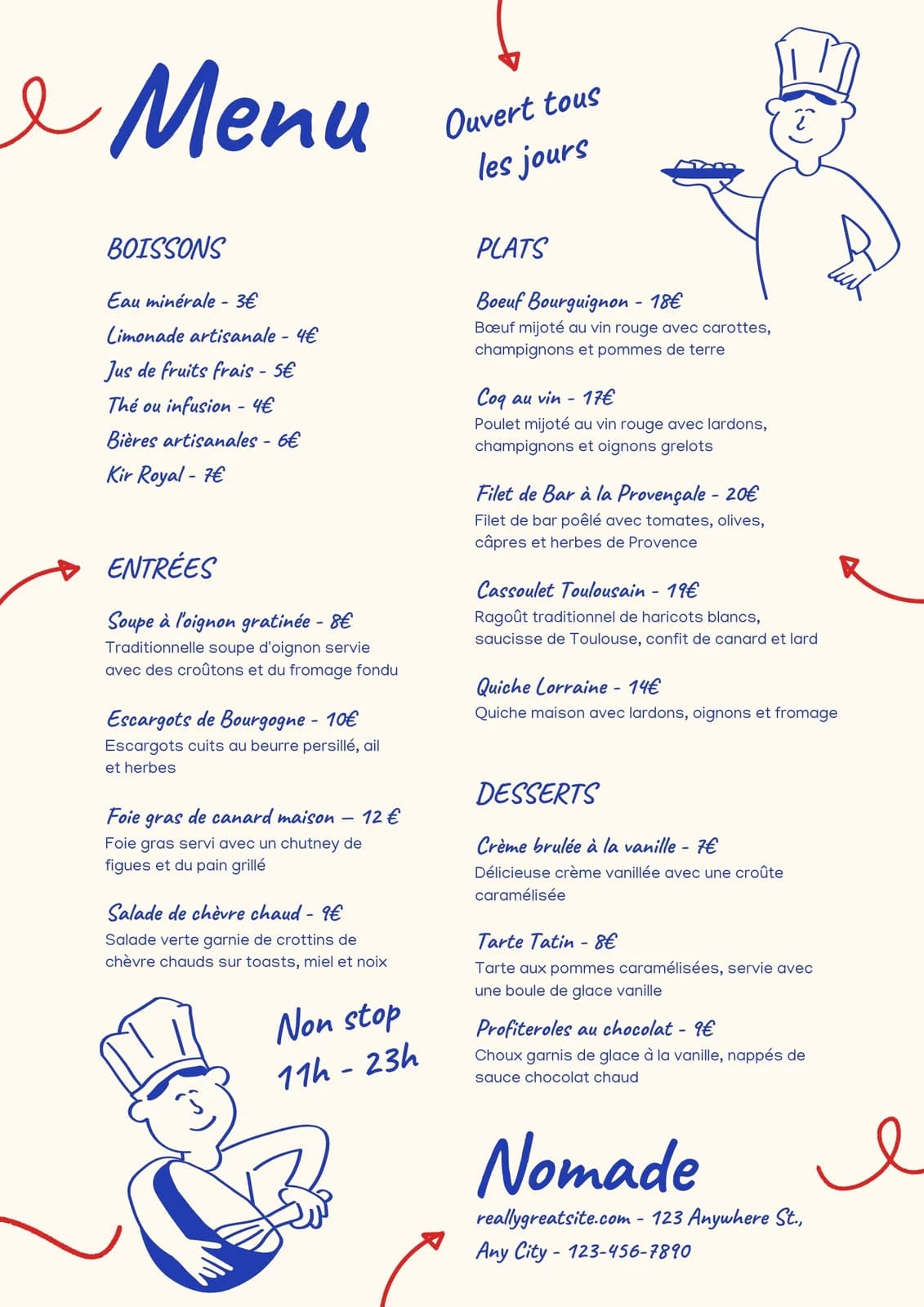
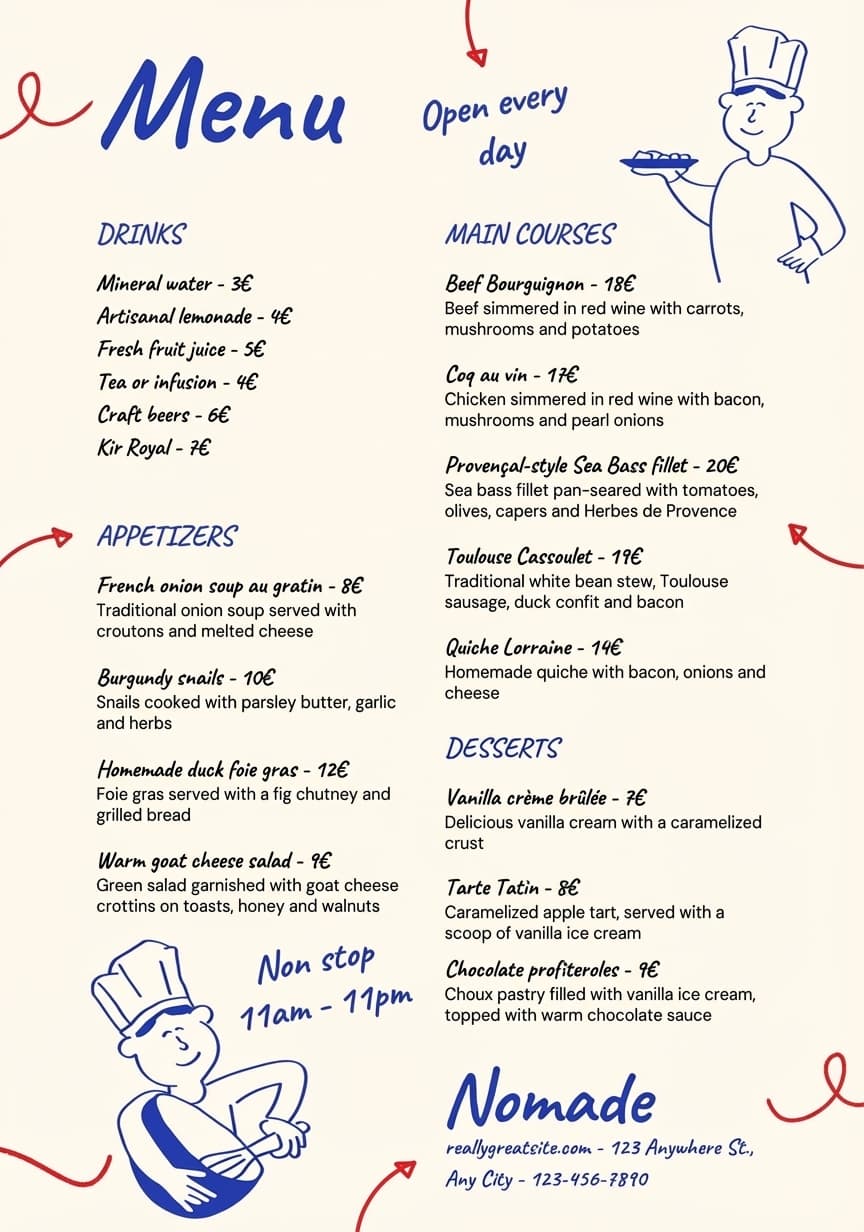
This matched sample shows a French menu and its English translation. Generated results can vary with image quality and layout, so review each result before publishing.
Three steps
How image translation works
Use the uploader above to create a translated image, then review the result before downloading or sharing it.
Upload one image
Choose an image file up to 10 MB.
Choose the languages
Select a source language or use auto-detect, then choose a target language.
Review and download
Check the translated image and download the result when it is ready.
Supported languages
Choose from English, French, Spanish, German, Italian, Portuguese, Japanese, Korean, and Chinese. The source language can also be set to auto-detect.
- English
- French
- Spanish
- German
- Italian
- Portuguese
- Japanese
- Korean
- Chinese
Upload limits
The image translator accepts one image per request. Each image must be no larger than 10 MB. The uploader accepts image files; supported encoding can depend on the file and processing path.
What you can translate
Any image with text works the same way. These pages go deeper into common cases.
- Photos and scansSigns, letters, labels and packaging photographed with a phone or scanned.
- ScreenshotsApp screens, chats, error messages and game menus.
- MenusRestaurant menus and price lists, with the layout kept for print.
- Product and ad imagesMarketplace listings, A+ content and ad creatives.
- Comics and mangaSpeech bubbles, captions and sound effects on illustrated pages.
- Charts and diagramsInfographics, technical diagrams and labeled figures.
Image translator, OCR translator or overlay?
An OCR translator extracts the text from a picture and gives you a translation to read or copy.
Overlay tools such as Google Translate’s camera and Images tab paint the translation on top of the original.
TranslateMyImage generates a new image whose translated text follows the original fonts, colors and layout, so the result can be shared, printed or published. To understand a sign, any of the three works; when you need the picture itself in another language, use an image translator.
Tips for better results
- Use a sharp, well-lit image: small or blurry text is harder to read correctly.
- Crop to the part you need; files can be up to 10 MB.
- Set the source language when you know it, otherwise keep auto-detect.
- Check names, numbers, prices and dates against the original before publishing.
Image translation help
Frequently asked questions
What is the best AI image translator that keeps the original layout?
Choose a translator that returns a new image rather than an overlay or plain text. Overlay translators show the translation on top of the photo, and OCR tools give you text to lay out again. TranslateMyImage regenerates the image with the translated text in place, following the original fonts, colors and layout, so you download a finished JPG, PNG or WebP visual (up to 10 MB) in 9 languages. The Basic plan includes 3 free credits a month to test it; review each image before you use it.
How do I translate the text in an image and download the translated image?
Upload the image (JPG, PNG or WebP, up to 10 MB), choose the target language and start the translation. When the result is ready, compare it with the original, then download the translated image. Each translation uses one credit; the Basic plan includes 3 free credits a month.
Which languages can I choose?
Choose from English, French, Spanish, German, Italian, Portuguese, Japanese, Korean, and Chinese. The source language can also be set to auto-detect.
What can I upload?
The image translator accepts one image per request. Each image must be no larger than 10 MB. The uploader accepts image files; supported encoding can depend on the file and processing path.
Is the image translator free?
You can try it for free: the Basic plan includes 3 credits per month and one credit translates one image. Basic is for personal use; commercial use requires the Pro plan or above.
Does the translated image keep the original layout?
The image is regenerated so the translated text follows the original fonts, colors and layout. Results vary with image quality and complex layouts, so review each image before using it.
Can I review the translated image before using it?
Yes. Review the generated image before sharing or publishing it. Text recognition and visual reconstruction can vary with image quality, fonts and layout.